iPad chord instrument · one key, one chord

Press one key. Get a full chord.

Oh a Chord is a one-octave iPad keyboard. One key press plays a full chord. Chord Type and Modifier buttons choose its quality. Key Mode keeps every note inside the key you pick. A held chord turns into a strum, a harp sweep, or an arpeggio, and never retriggers.

Download Oh a Chord on the App Store See how it works

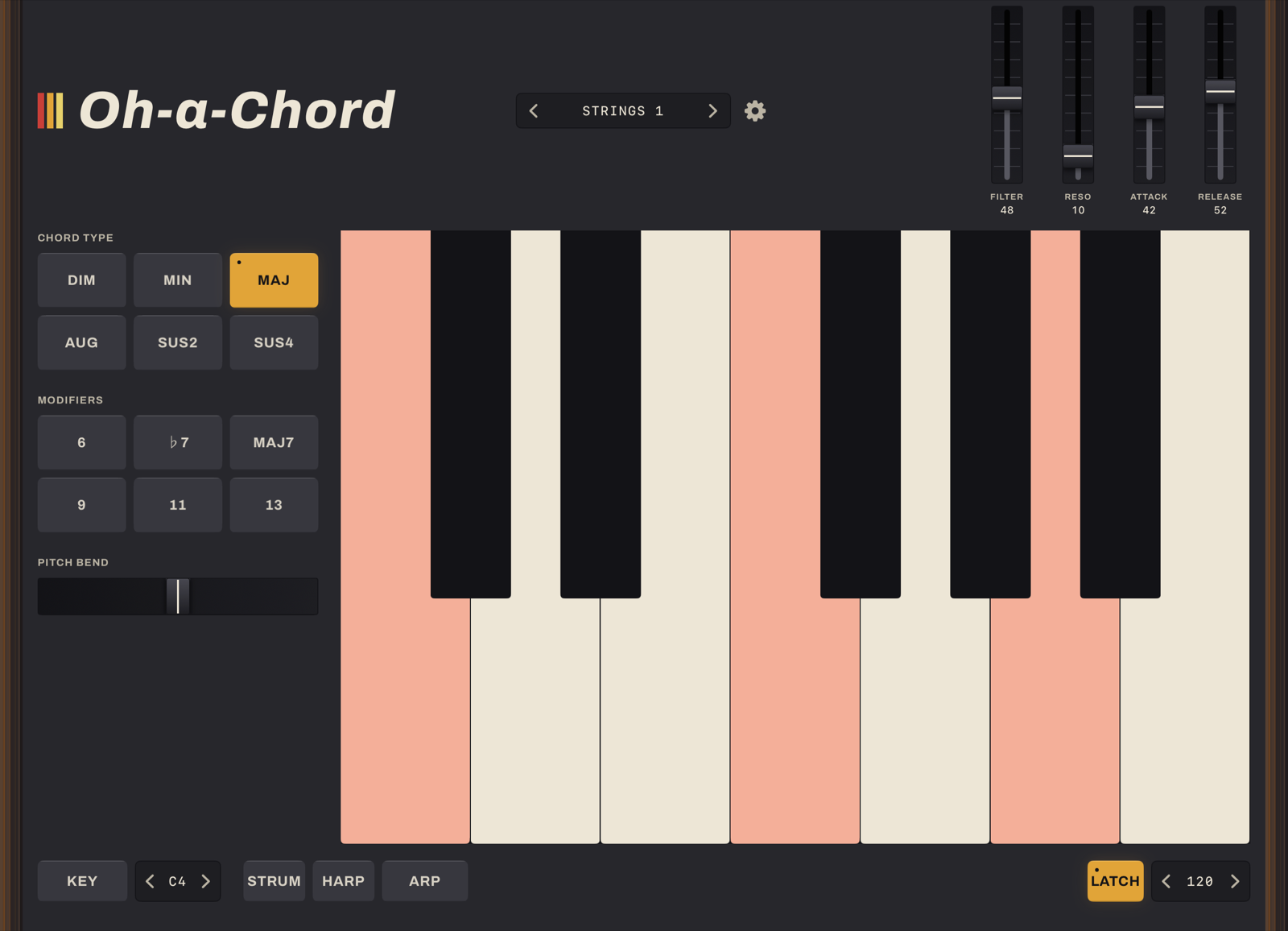
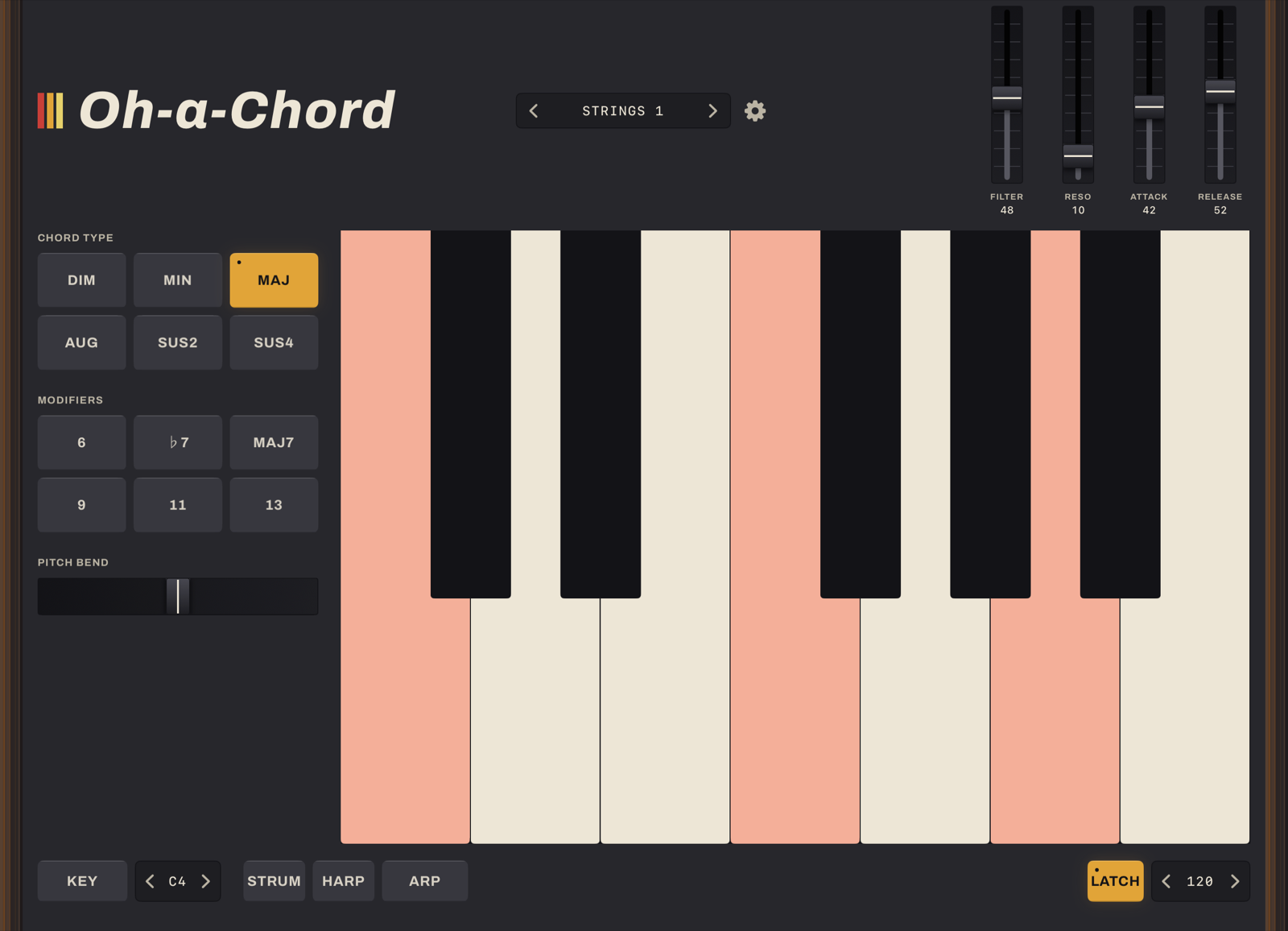
Oh a Chord running on an iPad: Chord Type and Modifier buttons on the left, a one-octave keyboard on the right, walnut cheeks at each edge

Why this exists

Oh a Chord goes straight to the sound. Press a key and hear a chord. Hold a couple of fingers down to colour it. Key Mode keeps you inside a key without needing to know why. Most chord and arpeggiator apps want theory first: the right scale, the right extensions, an arpeggiator wired up by hand. This one asks for none of it.

One key, a full chord

A single octave sets the root. Chord Type buttons choose Dim, Min, Maj, Aug, Sus2 or Sus4. Modifiers (6, ♭7, maj7, 9, 11, 13) stack colour on top for as long as a finger holds them down.

No chord charts, no fingerings to memorize. Every Chord Type and Modifier combination resolves to a real, playable chord. There are no dead buttons mid-performance.

The full Oh a Chord panel with MAJ selected in the Chord Type grid, the Modifiers grid below it, and the notes of the chord lit across the keyboard
MAJ selected. The notes of the chord light up across the keyboard.

Key Mode

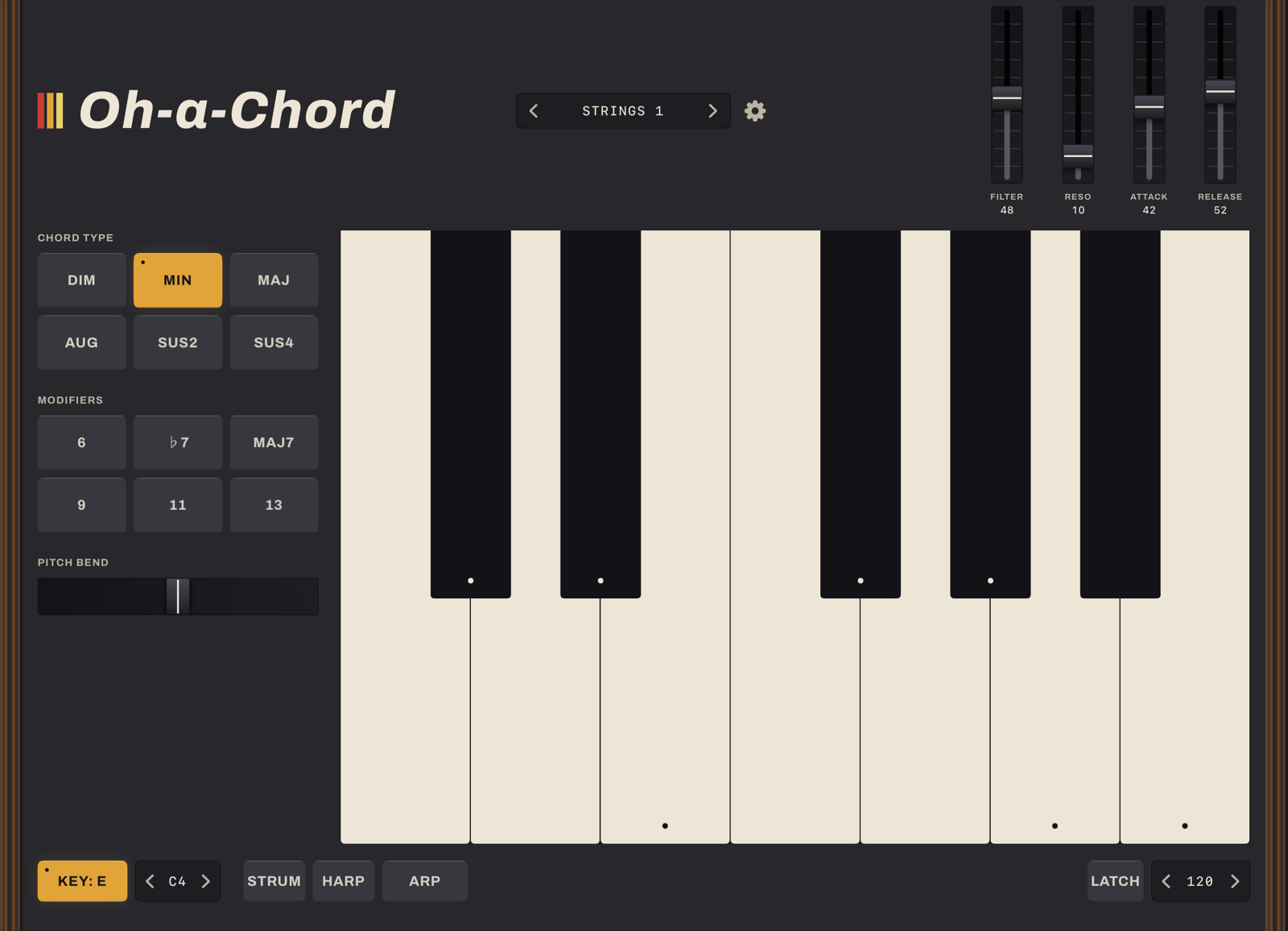
Arm Key Mode and the next key you press becomes the root. Every press after that stays inside that key. Reach outside it and Oh a Chord borrows a sus or diminished chord that still belongs. It never goes silent.

It's music theory you can feel rather than study. Build a progression that works before you know why it works.

The bottom row with KEY: E lit, and dots marking the in-key notes on every key of the keyboard
Key Mode armed on E. The dots mark what's in key.

Strum, Harp, Arp

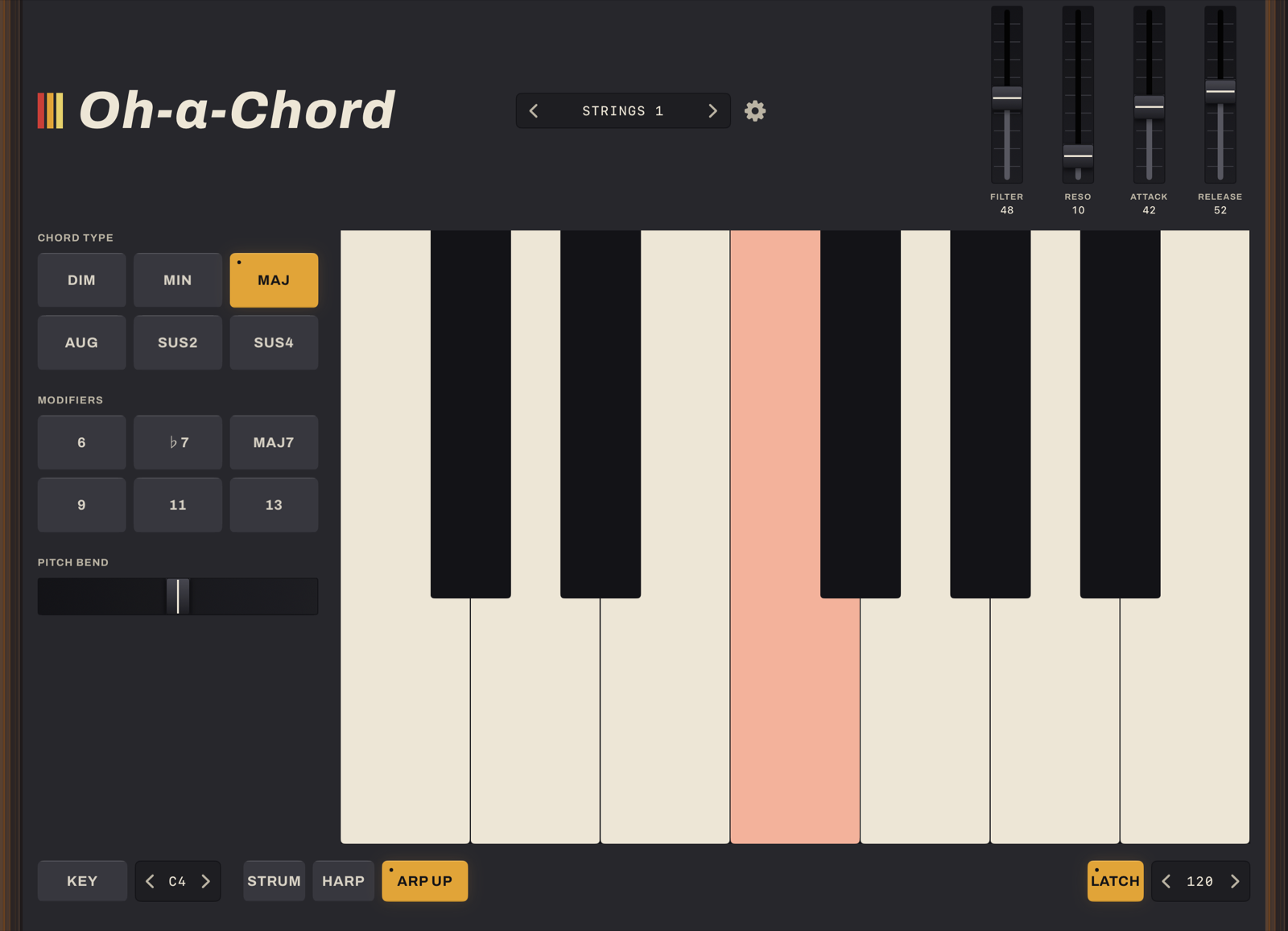
Three independent toggles turn a held chord into a part: Strum staggers the notes like a pick across strings, Harp sweeps one or two octaves, Arp cycles up or up-and-down at the tempo you set. Latch holds the chord hands-free.

A held chord doesn't have to sit there. These are the same moves a hardware arpeggiator gives you. The notes underneath never retrigger.

The bottom row with ARP UP and LATCH lit while the arpeggiator steps through a held chord
ARP UP with LATCH on. The chord keeps cycling, hands-free.

A full synth underneath

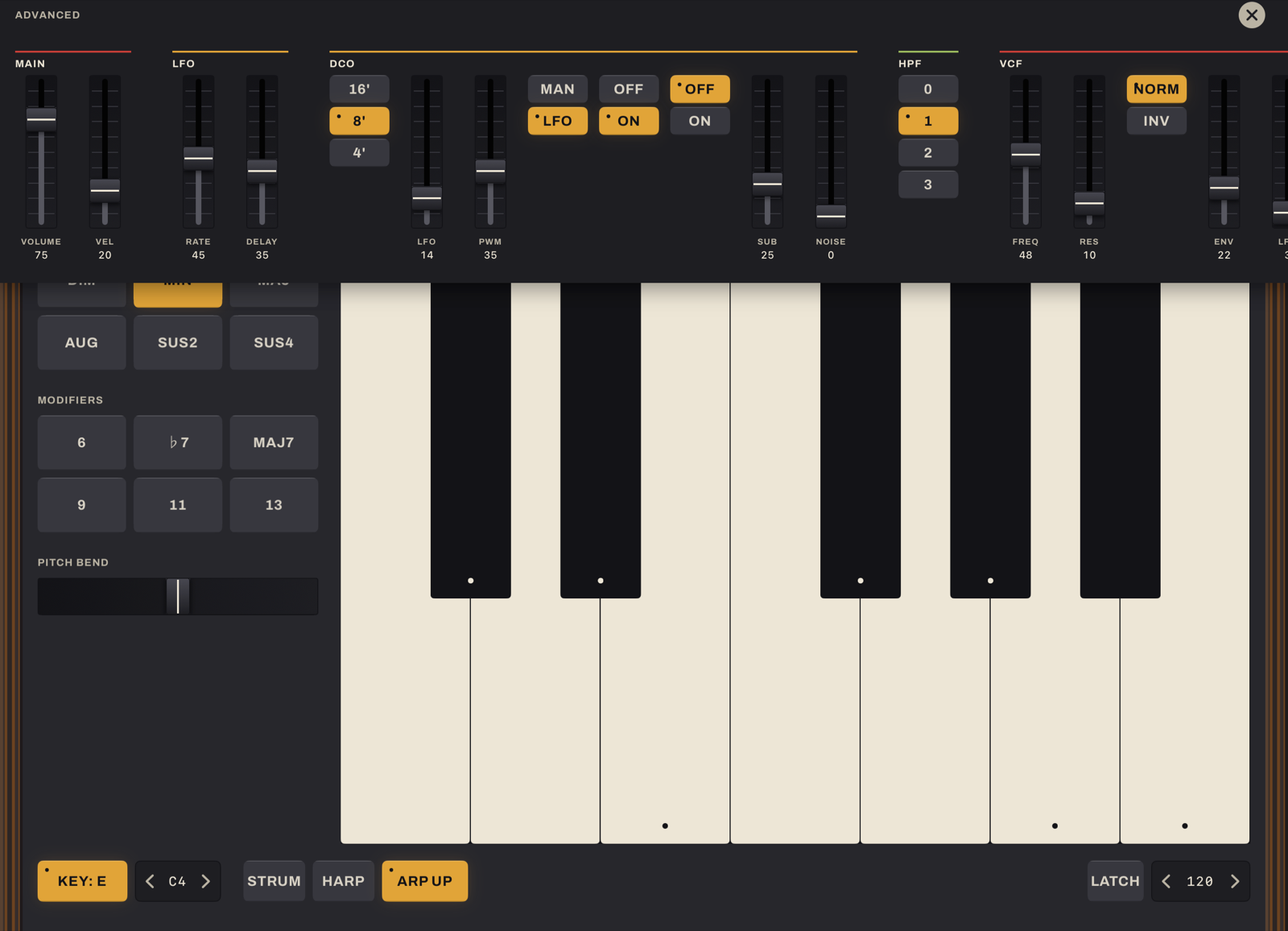
Behind the gear icon sits the same 6-voice DSP core that powers Oh a Synth: oscillator, filter, envelopes, chorus. Every parameter is live and touchable. The keyboard stays where it is.

The one-key chord is the front door, not the whole house. Shape the sound as deep as Oh a Synth goes.

The Advanced drawer open over the keyboard, showing the MAIN, LFO, DCO, HPF and VCF sections
The Advanced drawer: MAIN, LFO, DCO, HPF and VCF, every fader live.

Save your own sounds

Tweak anything in the synth editor and a save icon appears. Tap it and name the sound. It joins the preset list next to the factory bank, stored on the device.

A good sound found by accident shouldn't be lost the next time you touch a slider.

The preset name prompt over the settings drawer, with a lit save icon beside the close button
The save prompt over the settings drawer. Name the sound and it joins the preset list.

Get it

Oh a Chord is on the App Store now. It runs on iPad in landscape, iPadOS 16 or later.

Download Oh a Chord on the App Store

Read the privacy policy.

Specifications

KeyboardSingle octave; one key press plays the whole chord
Chord TypeDim, Min, Maj, Aug, Sus2, Sus4
Modifiers6, ♭7, maj7, 9, 11, 13. Momentary, held while a finger is down. Combine by holding several
Key ModeLocks every press to a chosen key; off-scale keys resolve to a borrowed sus or diminished chord rather than going silent
PerformanceStrum, Harp (1 or 2 octave sweep) and Arp (up, up/down). Each is an independent toggle. Latch holds a chord hands-free
Tempo40–240 BPM, drives Arp's rate
VoicingTwo sliders move a held chord through the register live, with no retriggering
Synth engineThe same 6-voice DSP core as Oh a Synth: DCO, 24 dB/oct filter, one ADSR, BBD-style chorus. Full parameter editor behind the settings gear
Presets9 factory sounds plus unlimited saved presets of your own, stored on the device
PlatformiPad, landscape only, iPadOS 16 or later
PrivacyNo accounts, no analytics, no network requests of any kind. Saved presets never leave the device
PriceFree

Questions

Do I need to know music theory to use this?

No. That's the whole point. Press a key, hear a chord. Key Mode is there if you want to explore a key without knowing why a particular note works. It isn't required to get started.

Does it work with MIDI?

Not yet. MIDI output is planned but not in this release. Oh a Chord is fully playable and self-contained today, with no setup.

Can I save my own sounds?

Yes. Open the settings gear and change anything in the synth editor. A save icon appears. Name it and it joins the preset list alongside the factory bank.

Does it need an internet connection?

No. Nothing about Oh a Chord leaves the device. No accounts, no analytics, no sync. Saved presets are a file on your iPad and nowhere else.

What iPad do I need?

iPadOS 16 or later. It's landscape only. Chord controls sit under your left hand, keyboard under your right.

One key. A full chord.

On the App Store now. Press one key and the chord is already playing.

Back to the top